Dispatch releases that keep their weather, NOTAMs, and signatures
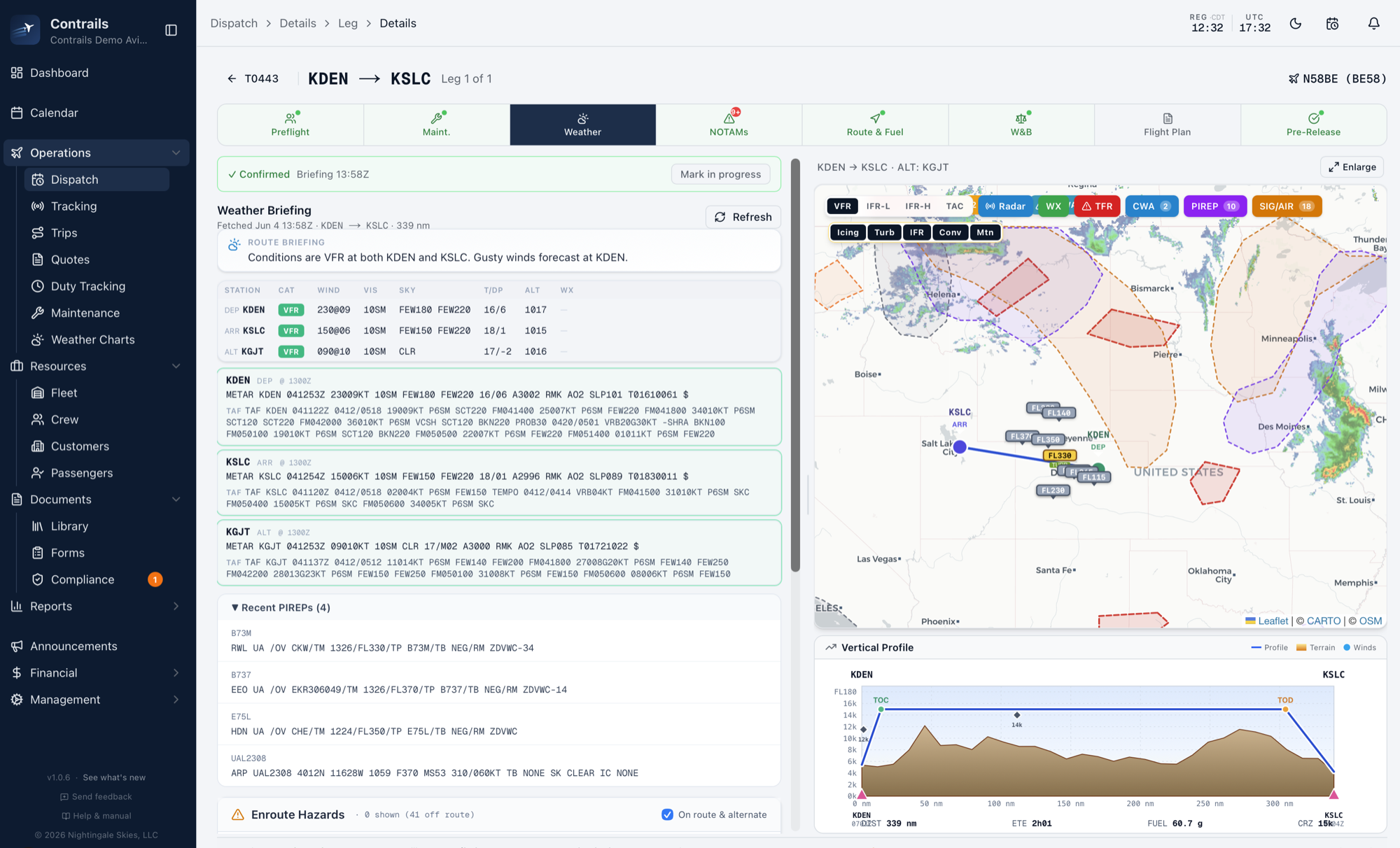
Luscinia builds a Part 135 release from the live weather briefing, route cross-section, NOTAM review, weight and balance, and fuel plan, then collects crew signatures and archives everything exactly as the dispatcher signed it. The whole flow runs end to end from an iPad.
Checks run before the release button unlocks
Luscinia checks the aircraft, the crew, and the load, and writes what it found onto the release.
Questions operators ask
What goes on a Luscinia release?
The weather briefing (METARs and TAFs at departure, destination, and alternate), a route cross-section with terrain and winds aloft, NOTAM review with TFR detection, fuel planning, weight and balance, and crew signatures. The briefing is time-stamped and archived onto the release exactly as the dispatcher signed it.
What stops a bad release?
Conflict checks run before the release button unlocks: aircraft status and maintenance blocks, crew duty and rest under FAR 135.267, currencies and medicals, and weight and balance limits. Presence indicators also show who else has the trip open, so two dispatchers don't work the same release.
Can we file flight plans from it?
Yes — ICAO flight plan filing through established flight-plan providers is built into the dispatch flow.
Does dispatch work away from a desk?
The full dispatch engine runs on iPhone and iPad: live weather and NOTAMs, route advisor, performance-based fuel, on-device weight and balance, ICAO filing, and signature release, end to end.
What survives for the audit?
Everything as it was at release time: the briefing, the NOTAM review, the duty check, the signatures, and the load manifest data under 135.63 — frozen at trip close and exportable.
See a release built in a demo
We build a release end to end on demo data: briefing, route, NOTAMs, weight and balance, and signatures. Demos are by appointment.